Google
 
Main Page
 The gatekeeper of reality is
 quantified imagination.

Stay notified when site changes by adding your email address:

Your Email:

Bookmark and Share
Email Notification
Add A Task To Team Foundation Server (TFS)
Back To Previous Page

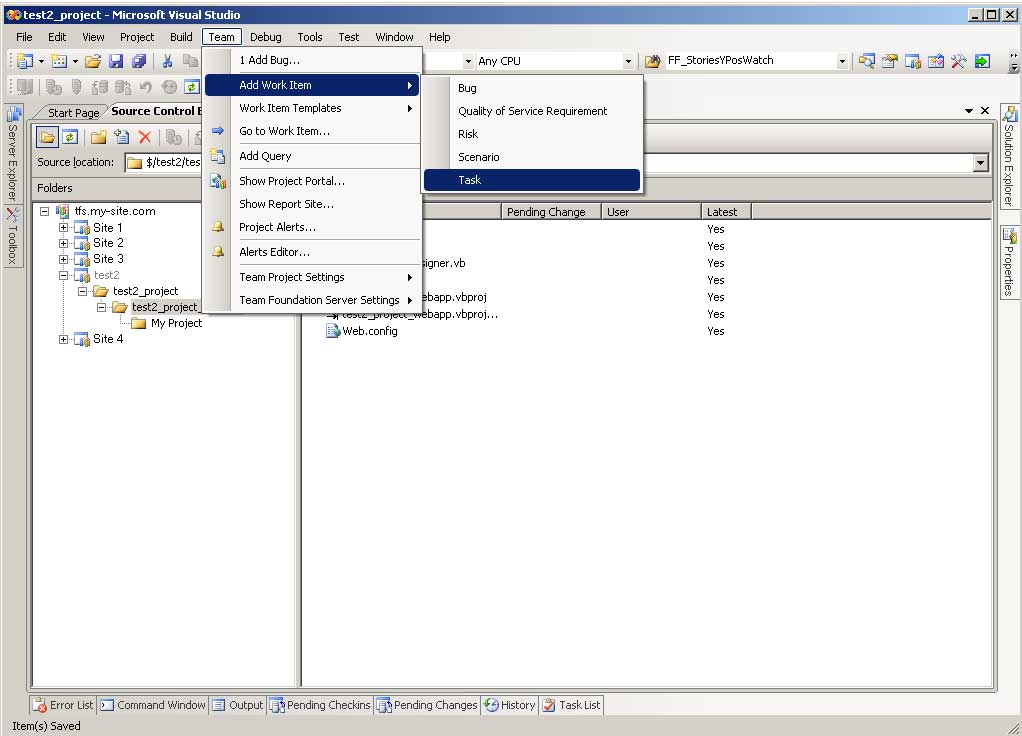
STEP 1

(Enlarge)
  1. Under "Team" mouse-over "Add Work Item"
  2. Select "Task" from the popup menu
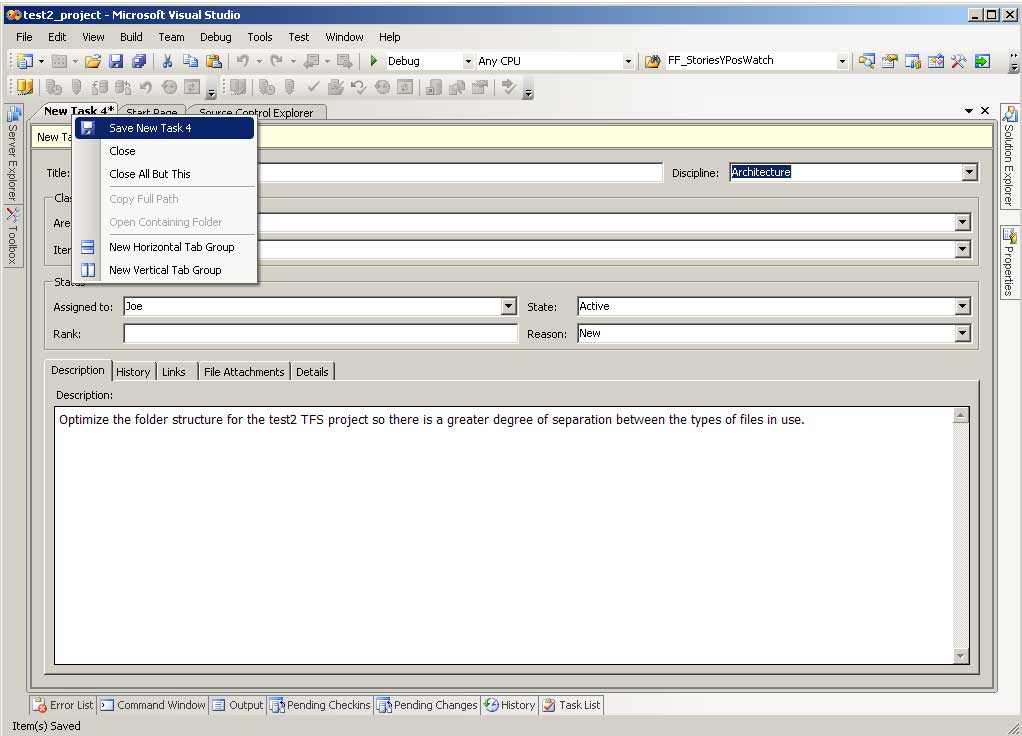
STEP 2

(Enlarge)
  1. Complete the new tabbed pane that appears. The more specific you can get, the better. Don't forget that you can assign the task as is the case with all other work items.
STEP 3

(Enlarge)
  1. In order to save the new task, right-click on the tab and select "Save New Task"
About Joe